



The Tesla software update 2026 is shaping up to be one of the most important update cycles Tesla has ever planned. From Full Self-Driving improvements to long-awaited upgrades for older vehicles, Tesla is proving once again that its cars evolve long after you buy them.
What’s wild? Many of these features were hiding in plain sight — quietly tested, slowly refined, and now finally coming together.
Table of Contents
Audience POV (Real Owner Feel – Reddit Inspired)
When new Tesla owners enter the ecosystem, one thing becomes obvious fast — software updates don’t work like phone updates. Many owners admit they check the app daily, waiting for that update notification to drop. Some get it instantly, others wait weeks, even on Advanced mode.
That mix of excitement, confusion, and patience is peak Tesla owner energy. Updates feel random, but when they finally land, it feels like getting a brand-new car overnight.
What’s New in Tesla Software Update 2026?
1. Big Surprise: Older Teslas Are NOT Forgotten
Despite popular belief, Tesla is actively working on features for:
- Hardware 3 vehicles
- Intel-chip Teslas
Tesla has already done this before:
- Weather overlays
- New UI graphics
- Updated Sentry Viewer
These didn’t launch on older cars — but Tesla added them later. And 2026 continues that trend in a big way.
🔥🚀 The Tesla 2026.2.3 software update is now rolling out to the 7th batch of vehicles (reaching ~51% of the fleet)!
— The Tesla Newswire (@TeslaNewswire) February 2, 2026
Changelog:
✅ Unlatching Charge Cable
Charging can now be stopped and the charge cable released by pulling and holding the rear left door handle for 3 seconds,… https://t.co/8lErmUUMeU pic.twitter.com/Sg2C62KmMX
2. FSD Version 14 Could Arrive Earlier Than Expected
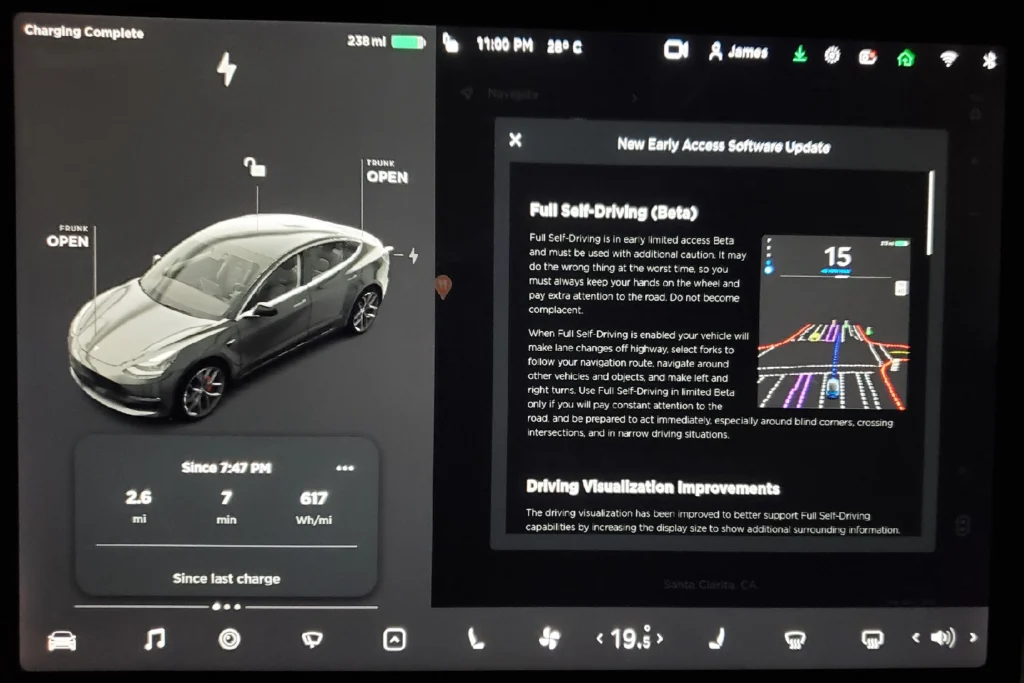
The internet is buzzing around FSD v14, especially for HW3 cars.
What’s changing?
- Tesla is reportedly optimizing AI workloads
- Breaking video clips into smaller, smarter data chunks
- Making AI systems more efficient on older hardware
What this means:
If you own a Hardware 3 Tesla, FSD v14 may arrive sooner than expected, and it may not be as limited as previously assumed — all through software.
That’s peak Tesla behavior.
Tesla Introduces New Model Y Variant in US Priced at $41,990
3. Important FSD Policy Changes (Know This)
Some key shifts owners should note:
- After Feb 14, FSD can no longer be purchased outright — subscription only
- FSD transfer option (old Tesla → new Tesla) is expected to end by March (international markets)
If someone plans to upgrade their Tesla, this one-time transfer window matters.
Cheapest Tesla Update: The $25,000 Model 3 (Sort Of)
Tesla’s long-rumored “cheap car” (Model 2 / Model Q) appears cancelled again.
But here’s the twist 👇
In South Korea, incentives and subsidies allow buyers to get a Model 3 Standard for roughly $25,000.
The takeaway:
- Model 3 & Model Y Standard are solid cars
- They become insanely attractive only when priced near $25–30k
- Pricing still depends heavily on local incentives
Hardware & Connectivity Changes Coming in 2026
5G Modems
Tesla has finalized supplier deals for 5G connectivity, meaning:
- Faster data speeds
- Better streaming
- Potential for cloud gaming and richer in-car apps
Wireless Charging (Drive-On Charging)
2026 could introduce wireless vehicle charging:
- Park on a mat
- No cable
- Slightly slower, but ultra-convenient
Not revolutionary — but very Tesla.
Camera Improvements (Before HW5)
While Hardware 5 is expected around 2027, Tesla may:
- Upgrade camera sensors in current HW4 cars
- Improve low-light performance and clarity
Elon has also confirmed HW4 is capable of unsupervised FSD, reinforcing buyer confidence.
Cybercab Is the Blueprint
Tesla has openly admitted that Cybercab tech is the future template.
Expected trickle-down features:
- Steer-by-wire
- Brake-by-wire
- Fully digital vehicle control systems
- Easier repairs and more software-driven features
One cool detail spotted:
- Rear camera washer (currently only on Cybercab)
This could massively improve FSD reliability and everyday usability.
More Under-the-Radar Upgrades
- 48V architecture → allows full-size AC power outlets
- Starlink integration patents → better connectivity in remote areas
- New colors → Midnight Cherry Red could return
- New battery chemistry
- Potential daily charge limit increase from 80% → 90%
- Effectively gives ~10% more usable daily range
Next Tesla Software Update Timeline
The next major Tesla update is expected around:
- Spring 2026 (March–April)
Possibilities include:
- Expanded app ecosystem
- New media & streaming apps
- Potential CarPlay-related developments (still rumored)
- Features powered by 5G bandwidth
Why Tesla Software Still Hits Different
While other automakers talk about “OTA updates,” Tesla actually delivers.
Cars improve years later. Features evolve. Hardware limitations get smarter software workarounds.
That’s the real magic of Tesla.

Final Thoughts
The Tesla software update 2026 isn’t about one flashy feature — it’s about long-term evolution. From smarter AI and better cameras to meaningful upgrades for older cars, Tesla continues to blur the line between hardware and software.
If you own a Tesla, your car is still growing up.
FAQs – Tesla Software Update 2026
How long does a Tesla software update take on Model 3 and Model Y?
Most Tesla software updates take 25 to 45 minutes, but larger updates can take up to 1 hour. During the update, the car cannot be driven, so Tesla usually recommends installing updates overnight or when the car is parked safely.
Why is my Tesla software update stuck at 50% or not progressing?
If a Tesla software update is stuck at 50% or appears frozen, it is usually due to:
> Weak Wi-Fi connection
> Temporary server load during wide update distribution
> Background system checks
In most cases, the update resumes automatically. If it stays stuck for several hours, restarting the car or reconnecting to a stable Wi-Fi network helps.
How often does Tesla release software updates for Model 3 and Model Y?
Tesla typically releases new software updates every few weeks, with major updates rolling out quarterly. However, update distribution is staggered, meaning not all cars receive updates on the same day.
Where can I check Tesla software update release notes and undocumented features?
You can check official Tesla software update release notes directly inside the car’s touchscreen or Tesla app.
For undocumented features, Tesla owners often share discoveries on forums and communities shortly after updates roll out, especially for versions like 2025.2, 2025.8, or 2025.20.
Can I stop or cancel a Tesla software update once it starts?
Once a Tesla software update begins installing, it cannot be cancelled. However, if the update is only downloaded and not started, you can delay installation and schedule it for a later time from the Tesla app or car display.









Pingback: Tesla FSD 14.2.2.4 Bug : Parking Issue, Causes & Fixes
Pingback: 10 Tesla Features Update 2026.2.3: Santa Mode FSD v14 & More