

Today I’m reviewing the JioPC – what it really is, how it works, who it’s for, and whether you should care. No sugar-coating. If you’re considering skipping a laptop/desktop and going the cloud-PC route, read this first.

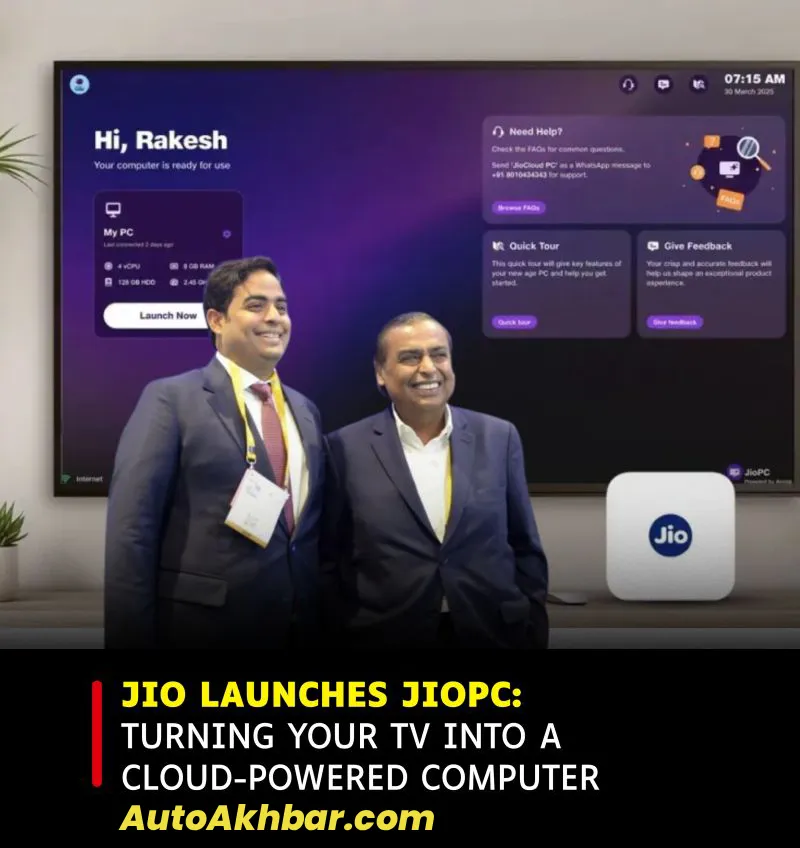
Table of Contents
What is JioPC?
- According to Jio’s website: “Your screen is now a next-gen computer.” Jio+2Jio+2
- It’s a cloud-based virtual desktop service – means the computing happens on cloud servers, not entirely on your local hardware. CXOToday.com+1
- You use your existing Jio Set-Top Box (with JioFiber or JioAirFiber) + a screen/monitor/TV + keyboard & mouse, and you get a PC environment. India Today+1
- It runs a Linux-based OS (Ubuntu variant) but with a Windows‐like interface and comes with productivity apps. Business Today+1
In simple terms: If you want a PC but don’t want to buy a full computer, JioPC promises a cheaper alternative by streaming a desktop to your existing screen.

2026 Sundak Electric Car India
Key Features & Specs
Here’s what I gathered:
- 8 GB RAM equivalent and 100 GB cloud storage in the base configuration.
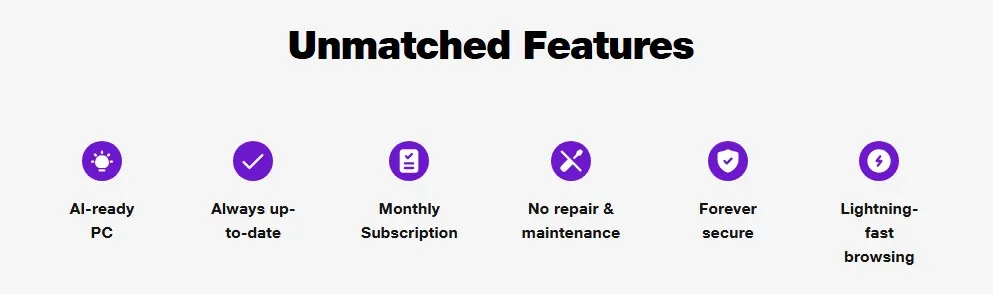
- Cloud basis: always up to date, automatic updates, security handled by cloud side.
- Pay‐as‐you‐go subscription (no massive upfront cost) – ideal for budget users.
- Compatible with any monitor/TV as long as you use the Jio STB + internet + keyboard/mouse.
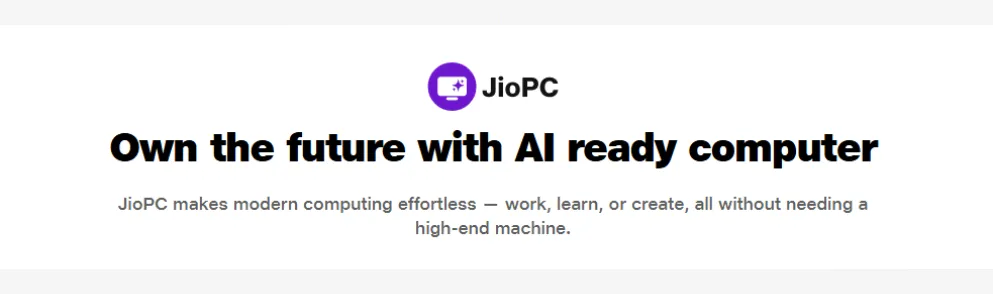
- Marketing emphasises “AI-ready” computing.
Subscription Plans & Costs
You’ll want to highlight this clearly:
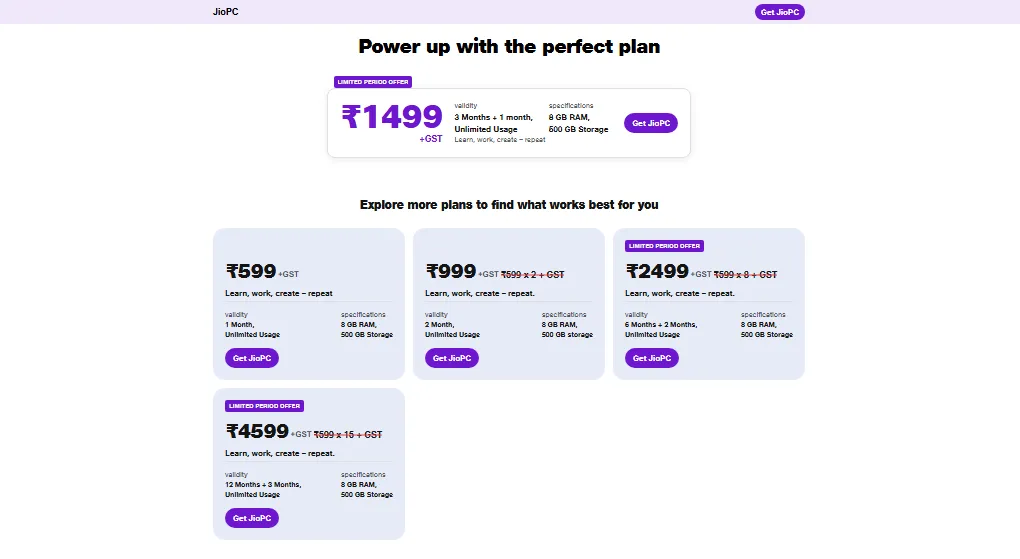
- Plans reportedly start at ₹599/month (plus GST) for unlimited usage with 8 GB RAM + 100 GB storage.
- 2‐month, 6‐month, 12‐month bundles are also offered (eg. 12-month plan ~ ₹4,599 + GST with extra free months) in some coverage.
- There’s also marketing that quoted “as low as ₹400/month” for some promotional basis.
My take: The monthly cost is modest, but you must be comfortable with the cloud model + internet dependency. The “free with JioFiber connection” bundling may apply in some offers (check current packaging).

Alto K10 EV in India Soon 2025
Setup & Requirements
Here’s a breakdown of what you need and how to set it up (actionable steps):
What you’ll need:
- A working JioFiber or JioAirFiber broadband connection + Jio Set-Top Box.
- Monitor or TV with HDMI or compatible input (depending on your STB)
- Wireless or USB keyboard + mouse
- Stable internet connection (cloud PC needs good speed + latency)
Setup steps:
- Connect your Jio STB to your screen via HDMI & power it on.
- Plug in keyboard + mouse via USB or Bluetooth dongle.
- Launch the “JioPC” app on the Set-Top Box from Apps section.
- On screen, click “Get Started”.
- Sign in/register using your Jio number/email. OTP verification may be required.
- Once logged in, click “Launch” and you will enter your cloud desktop environment.
Who Should Consider JioPC (and Who Shouldn’t)
✅ Good for:
- Students or families where buying a full PC is cost-prohibitive.
- Office work or productivity (documents, spreadsheet, browsing).
- A secondary PC setup for light/moderate use (browser, email, classes).
- Users who are comfortable with cloud dependencies and stable internet.
❌ Not good for:
- Heavy gaming, video editing, or high-performance local software (graphics/3D/AAA games).
- Rural areas or places with poor internet latency/bandwidth – cloud PC will struggle.
- Users needing Windows-only software that requires local installation (though browser‐based alternatives may work).
- Situations where you need full offline capability or full hardware control.
Pros & Cons
Here’s a legit head-to‐head:
Pros:
- Low upfront cost vs buying new PC (if you already have screen + connection)
- Always updated, maintained by cloud service — less hardware hassle
- Simple setup
- Big potential for inclusion (households without PCs get one)
Cons:
- You’re locked into subscription + Jio ecosystem + good internet connection
- Performance depends heavily on your internet (cloud latency, packet loss)
- Not fully “real PC” in sense of hardware freedom/extensions/peripherals
- Maybe hidden costs long term (subscription, data usage, upgrades)

Is It Worth It? My Verdict
Short answer: Yes, with caveats.
If you’re already a JioFiber or JioAirFiber user, have a good internet connection, and need a budget-PC for basic tasks, JioPC is a very sensible option.
If you’re planning to use it for heavy-duty work, or you don’t have stable high-speed internet, you’re better off buying a conventional PC or laptop.
Key question you must ask:
Can my internet support a cloud PC (upload/download speed, latency, uptime)? If not, the experience will suffer.
FAQ JioPc
Is Jio PC available?
Yes — Jio has officially launched the JioPC service in India.
However: it appears to be limited roll-out / invitation basis in some areas.
What is the Jio PC concept?
# It’s a cloud-based virtual desktop service from Reliance Jio that turns any compatible screen (TV/monitor) into a PC-like environment.
# You use your Jio Set-Top Box (connected to JioFiber/AirFiber), plug in keyboard & mouse, and via the cloud you get access to a desktop OS (Linux based) with apps, storage, etc.
# The hardware (keyboard/mouse/monitor) remains local; the computing horsepower and storage are in the cloud. This means less upfront cost, but dependency on internet and subscription.
What is the cost of Jio PC per month?
Here are the details based on current reports:
* The entry-level plan starts at ₹599/month (plus GST).
* There are multi-month bundles: e.g., a two-month plan for around ₹999.
* Longer-term plans: 6-month (with 8 months access) at around ₹2,499, 12-month (15 months access) at around ₹4,599.
* Some sources mention “starting as low as ~₹400/month” in promotional context.
Important caveats: These prices are exclusive of GST, subject to change, and depend on your region/plan. Also ensure you meet the hardware + connectivity requirements.
How to use Jio PC on a TV?
Here’s how you set it up in simple steps:
1. Ensure you are a JioFiber or JioAirFiber subscriber with a Jio Set-Top Box.
2. Connect your Set-Top Box to your TV or monitor via HDMI or whatever input your device supports.
3. Connect a keyboard and mouse (USB dongle or Bluetooth) to the Set-Top Box.
4. On the Set-Top Box, navigate to the apps section and open the “JioPC” app.
5. Click “Get Started”, register/login with your Jio number/email, follow prompts.
6. Launch your cloud desktop — you’ll see a PC-like UI, cloud storage, productivity apps etc.
7. Use it like a computer — browsing, documents, education apps… while the “actual computer” is running in cloud.
8. Note: Because it’s cloud-based, a stable internet connection is mandatory. If internet cuts out, you lose access.